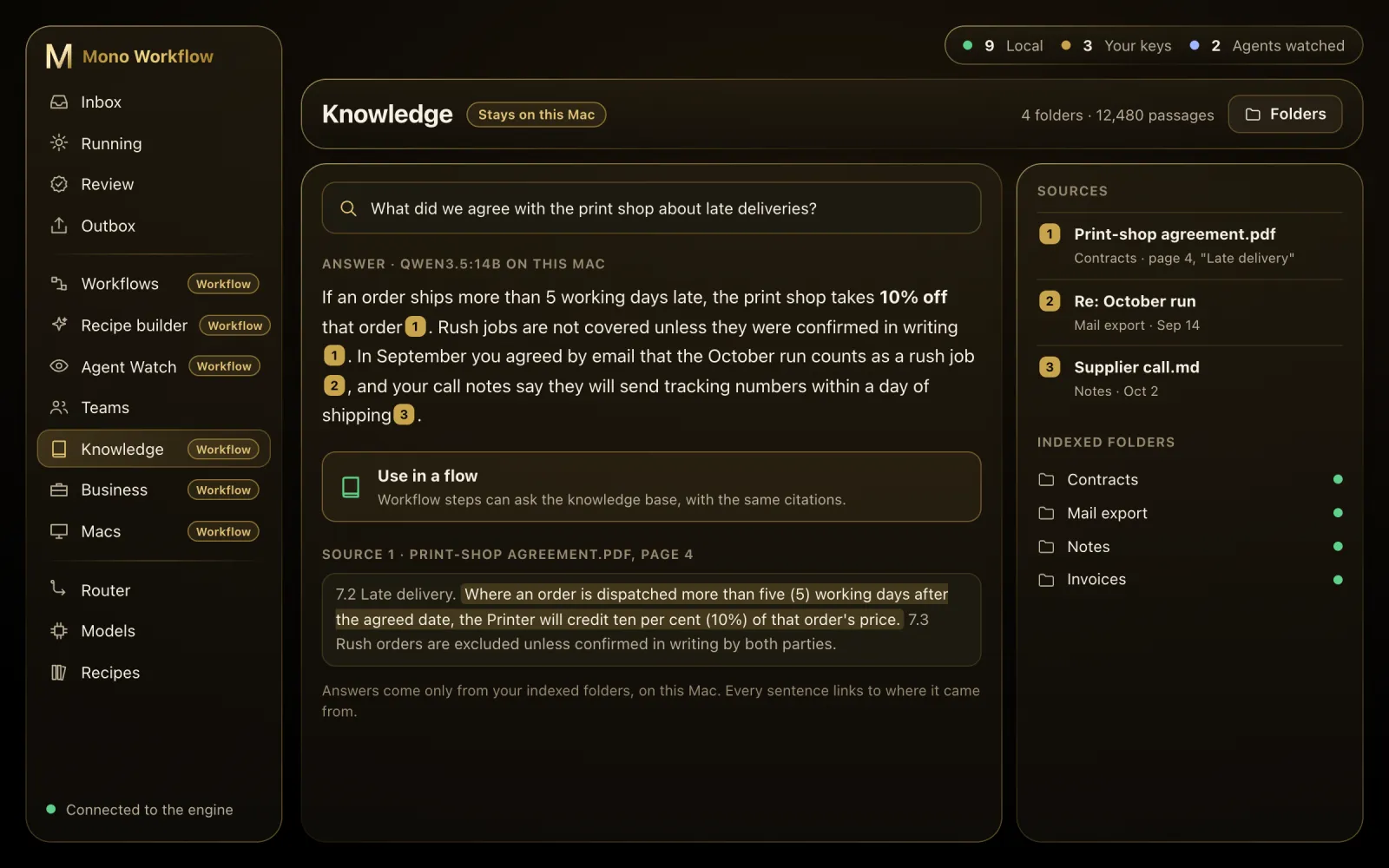
Knowledge base Workflow first
Index the folders you choose into a private search on your Mac, and get answers with citations. Workflow steps can use it too.
Mono by LWS · the tier above Pro
Chain the work, watch your agents, and let AI build new recipes for you, all on your own Mac. Mono writes drafts for you, and you approve what leaves.
$99 a year, coming early 2027. Includes everything in Mono Pro.
New in Workflow
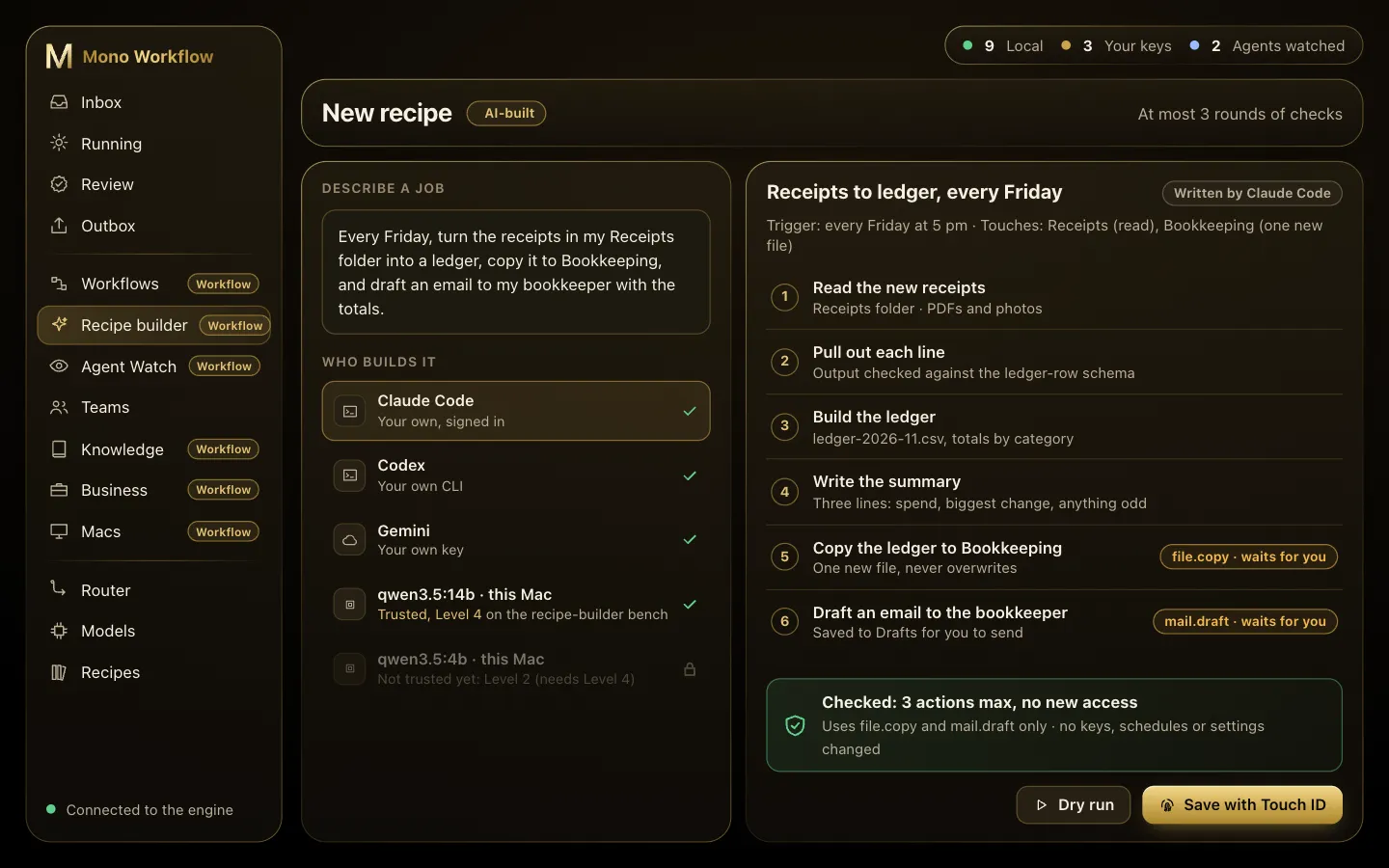
Describe a job in plain words. An AI writes a new Mono recipe for it, and, if you use Claude Code, a matching skill file too.
Who can build it:
In Workflow at launch
Everything promised at launch ships at launch. The same rules hold as everywhere in Mono: local first, drafts only, and your click plus Touch ID for anything outward.
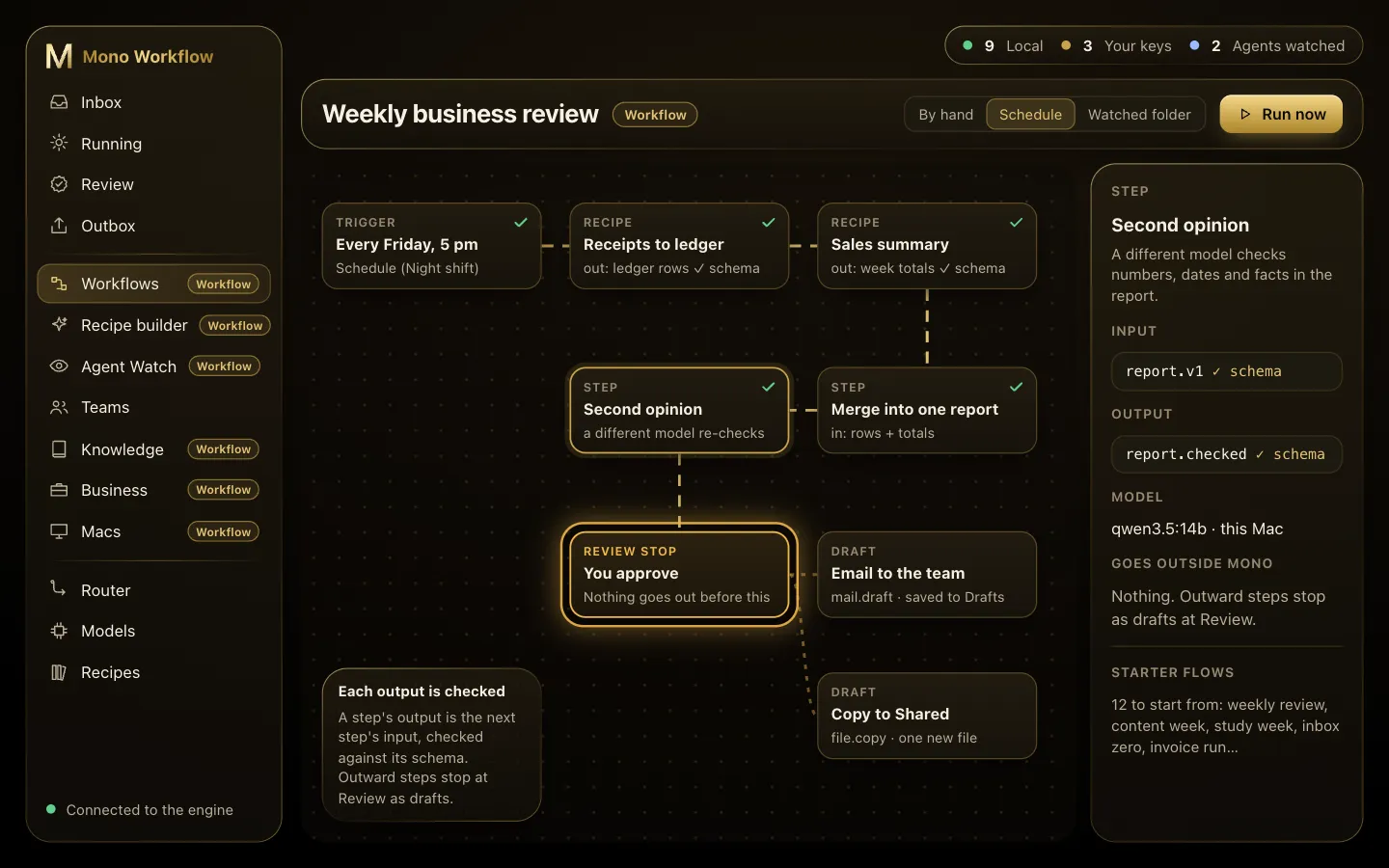
Chain recipes and tasks into a flow on a visual canvas: step, step, review, step.
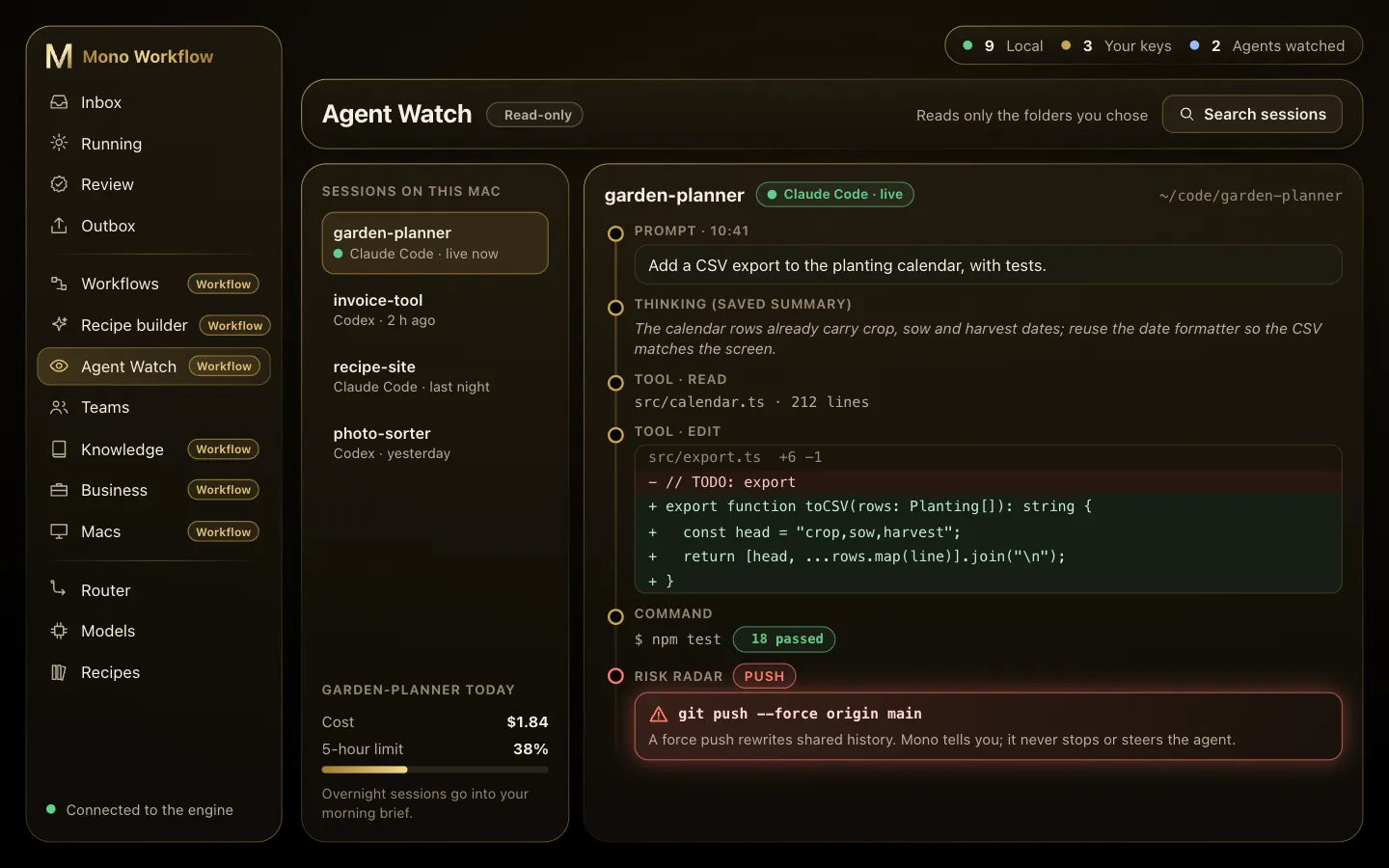
A live, read-only view of the Claude Code and Codex sessions on this Mac, from their own local session files.
Up to 8 models on one job, each with a role, on a live board.
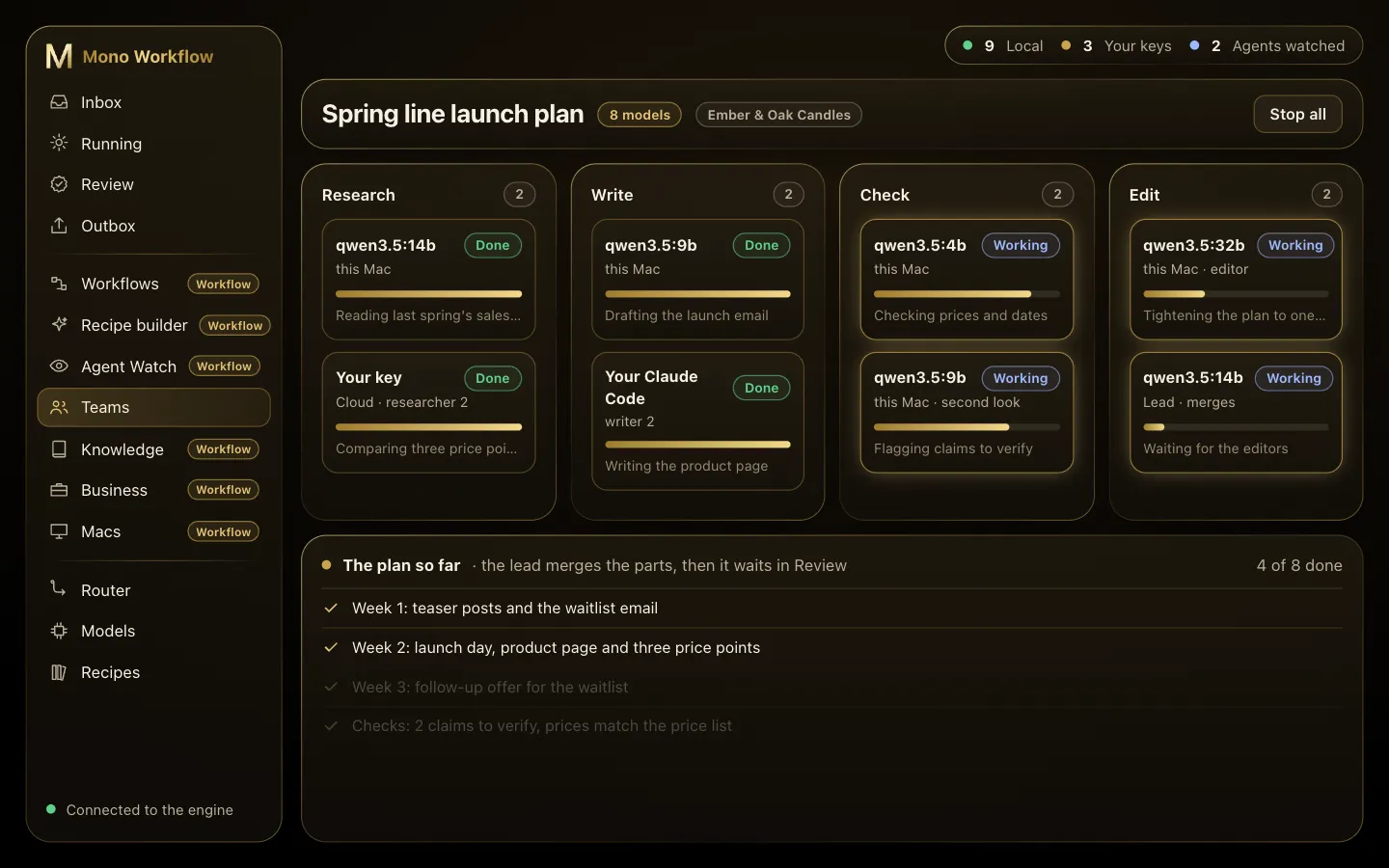
Index the folders you choose into a private search on your Mac, and get answers with citations. Workflow steps can use it too.
Run the engine on one Mac, say a Mac mini at home, and use it from your other Macs over your own private network.
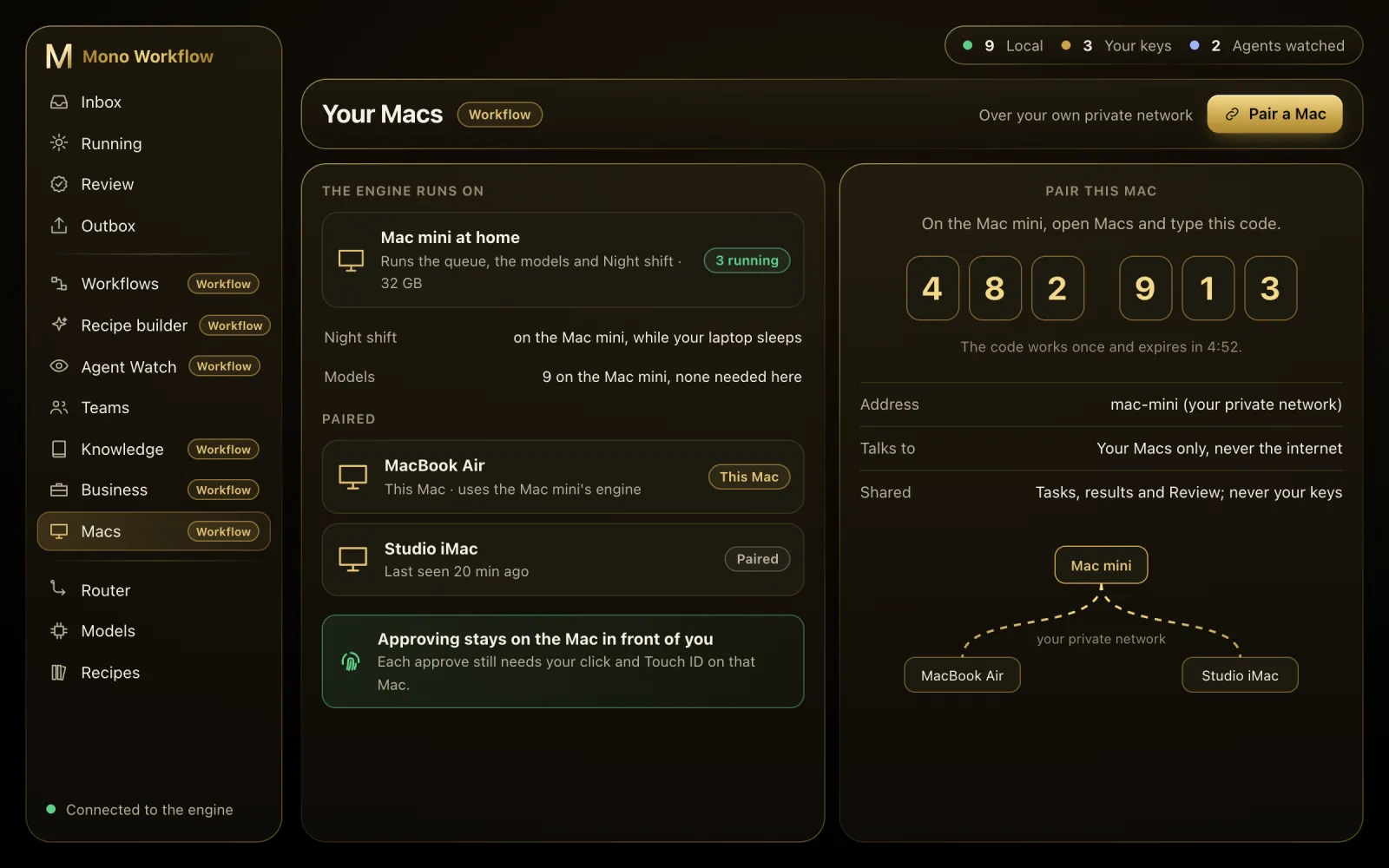
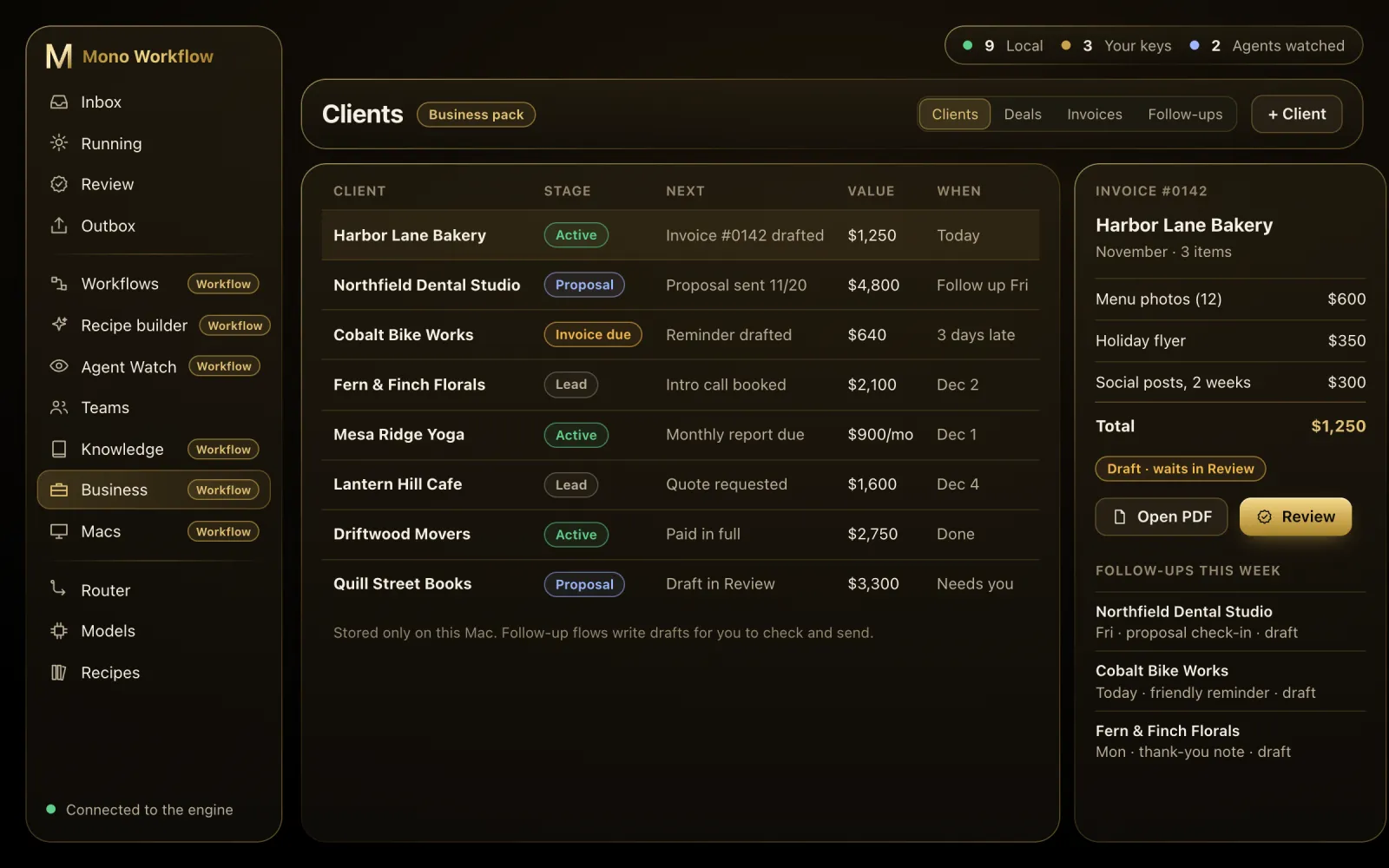
Clients and deals, invoice drafts, proposal tracking and follow-up flows, all stored on your Mac.
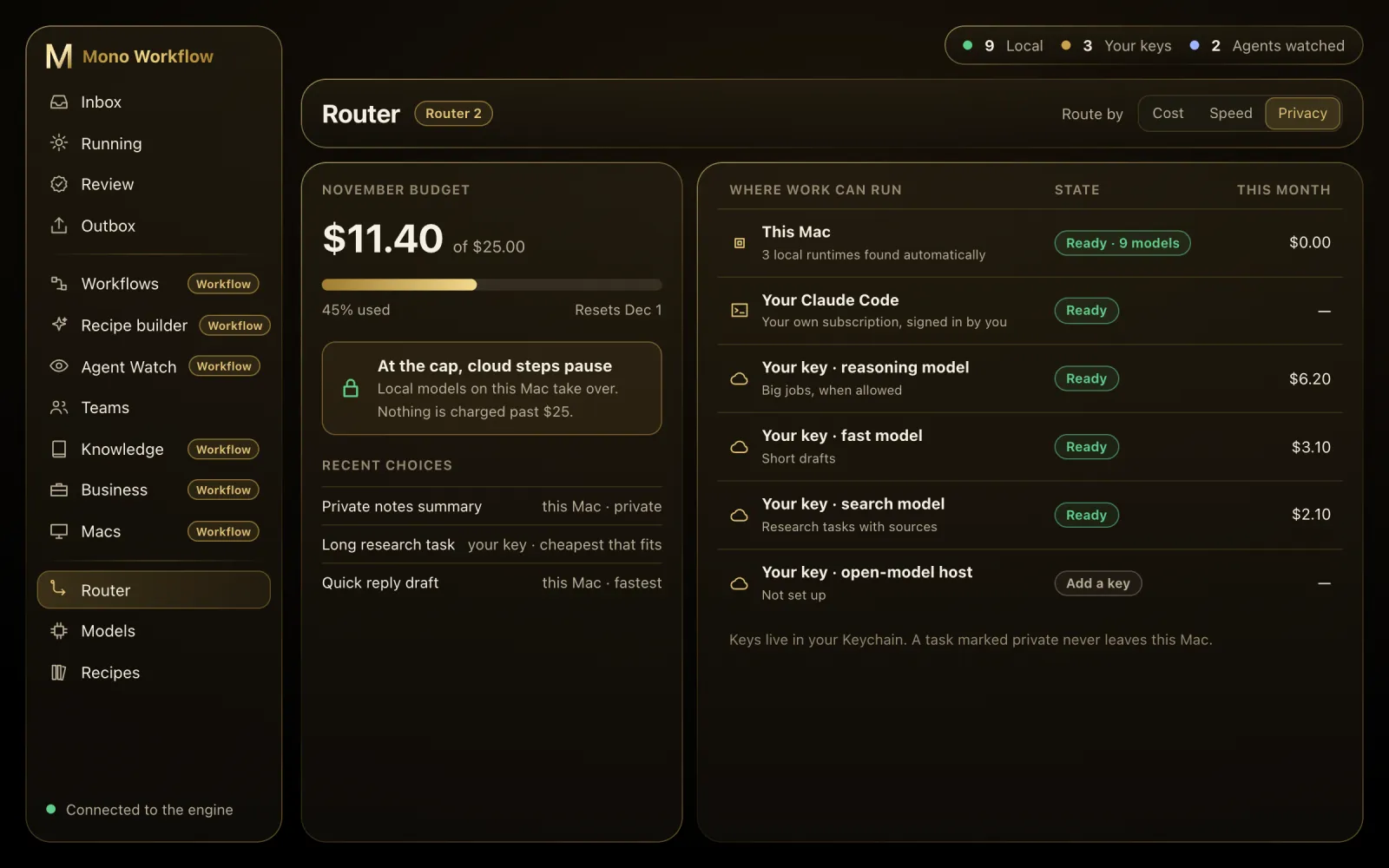
More providers with your own keys, local runtimes found on their own, and routing by cost, speed or privacy, under a monthly budget cap.
A gold-and-black look across the app, a gold M icon and gold glass. Contrast is checked, and Reduce Transparency gives solid fills.
Workflow has its own update feed, so new features reach you first, and support email from Workflow members is answered first.
Everything in Pro, first
Workflow includes every Mono Pro feature, and it gets new features before anyone else.
Pro catches up, slowly. Some Workflow features come to Mono Pro later, in waves, never all at once. The table below says which, and roughly when.
Compare
"Planned" means not built yet. The weeks count from Workflow 1.0 and may move.
| Feature | Mono (free) | Mono Pro | Mono Workflow |
|---|---|---|---|
| Mono today | |||
| Inbox, Chat, Search, Review and the three actions with Touch ID | Yes | Yes | Yes |
| 40 recipes on your Mac's own models | Yes | Yes | Yes |
| Teams, Night shift, Work window, Study, Second opinion | No | Yes | Yes |
| Cloud boost, Mail desk, Phone, Agent door, Levels | No | Yes | Yes |
| Workflow first, Pro later | |||
| More providers with your own keysLM Studio and MLX found automatically, the Shortcuts library | No | PlannedMono 1.1, about 4 weeks after | At launch |
| Model router 2 with a monthly budget cap | No | PlannedMono 1.2, about 8 weeks after | At launch |
| Calendar-aware planning | No | PlannedMono 1.2, about 8 weeks after | Plannedfirst, in Workflow 1.1 |
| Teams with roles | No | PlannedUp to 4 models, Mono 1.3, about 12 weeks after | Up to 8 models, at launch |
| Clipboard assistant | No | PlannedMono 1.3, about 12 weeks after | Plannedfirst, in Workflow 1.1 |
| Knowledge base | No | Planned3 folders, Mono 1.4, about 16 weeks after | Unlimited folders, at launch |
| Only in Workflow | |||
| AI recipe builder | No | No | At launch |
| Workflow builder | No | No | At launch |
| Agent Watch | No | No | At launch |
| Multi-Mac | No | No | At launch |
| Business pack | No | No | At launch |
| The gold edition look | No | No | At launch |
| Early builds and priority support | No | No | At launch |
| Price | |||
| Price | Free | $49 (see pricing) | $99 a year, early 2027 |
Privacy
Agent Watch reads only what you choose.It is off until you turn it on for each tool. It reads only those tools' local session files, lists exactly which folders it reads, and never steers or stops an agent. Nothing it reads leaves your Mac.
Stored only on your Mac.Your flows, recipes, knowledge base, clients and Agent Watch history stay on your Mac. Multi-Mac talks only between your own Macs, over your own private network.
No account, no tracking.Like all of Mono: no account, no analytics and no telemetry. Your key is checked on your Mac.
Cloud models run only with your own keys, only when you set them up, and a task marked private never leaves your Mac. When anything leaves your Mac · Privacy Policy
Pricing
$99 a year
Coming early 2027
Not on sale yet. Mono and Mono Pro are available now: see Mono's pricing.
Questions
Early in 2027. It is not on sale yet, and there is no waitlist or sign-up. This page will have the button when it is ready.
No. Mono stays free, and Mono Pro stays as it is. Workflow is a tier above Pro and includes everything in it.
Yes. Founding and yearly Pro keys keep working exactly as they do now. Workflow will have its own key.
No. It only reads the session files those tools already save on your Mac, and only for the tools you turn on. The risk radar notifies you; it never stops, steers or types into an agent.
Your own Claude Code, your own Codex, or a cloud model with your own key. A model on your Mac can build recipes once it has passed the recipe-builder test bench in Levels at the level you set; until then it is greyed out with the reason. Every recipe is checked, previewed and dry-run, then saved only with your click and Touch ID.
No. Workflow keeps Mono's three actions: a draft saved in Mail, one Calendar event with nobody invited, or one new file in a folder you chose. Mono writes drafts for you, and each one waits in Review for your click and Touch ID.
Some of them, later and in waves: more providers, the router with a budget cap, teams of up to 4 models and a smaller knowledge base. The compare table shows which and roughly when. The Workflow builder, the AI recipe builder, Agent Watch, Multi-Mac and the Business pack stay in Workflow.